71bet App: One Tap Away from Slots, Live Casino & Cricket Betting
The 71bet app brings the full platform to your Android phone. Deposit via bKash or Nagad, place cricket bets, spin slots, and play live casino tables — all in a single lightweight APK. No browser needed, no extra steps.
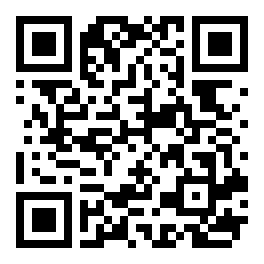 Scan with your phone camera to download
How to Install the 71bet APK on Android
Android blocks apps from outside the Play Store by default. You need to allow "unknown sources" once — it takes about 30 seconds. After that, installation is straightforward.
-
1
Allow Unknown Sources
Open Settings → Security (or Privacy on newer Android). Find "Install unknown apps" or "Unknown sources" and toggle it on for your browser or file manager. On Android 8+, this prompt appears automatically when you try to install. You can turn it off again after installation.
-
2
Download the APK File
Tap the "Download APK" button on this page — the file is named 71bet.apk (45 MB). Your browser will save it to the Downloads folder. Avoid downloading from third-party sites; always use 71bet.today to get the authentic, up-to-date file.
-
3
Open the Downloaded File
Pull down your notification bar and tap the completed download, or open your Files / My Files app and navigate to Downloads. Tap 71bet.apk. If Android asks which app to use, choose Package Installer. The install prompt will appear on screen.
-
4
Tap Install & Wait
Press Install on the prompt. Installation usually completes in under 20 seconds. When you see "App installed", tap Open to launch the 71bet app immediately — or find the icon on your home screen or app drawer.
-
5
Log In or Register
If you already have a 71bet account, enter your phone number and password on the login screen. New players can register directly inside the app — it takes under two minutes. After logging in, deposit via bKash or Nagad to start playing.
iPhone & iOS: Add to Home Screen
Apple does not allow sideloading APK files. iPhone users access 71bet through Safari and can pin the site to their home screen for a near-app experience — full screen, no browser bar.
-
1
Open Safari on your iPhone
Go to 71bet.today in Safari. Chrome and other iOS browsers do not have the "Add to Home Screen" option, so Safari is required for this to work correctly.
-
2
Tap the Share button
At the bottom of Safari, tap the Share icon (a box with an arrow pointing up). The share sheet slides up from the bottom of your screen.
-
3
Select "Add to Home Screen"
Scroll through the share sheet and tap "Add to Home Screen." You can rename the shortcut (e.g., 71bet) before confirming. Tap Add in the top-right corner.
-
4
Launch from your home screen
Find the 71bet icon on your home screen and tap it. The site opens in full-screen mode without the Safari toolbar — it feels and behaves like a native app.
App vs. Browser: What's Different?
Both the 71bet app and the mobile browser version let you play every game and use every payment method. The app adds a few extras that browser users miss out on.
| Feature | 71bet App (Android APK) | Mobile Browser |
|---|---|---|
| Push notifications for match results & promos | Yes | No |
| Full-screen gameplay without browser UI bar | Yes | No |
| Faster loading on slow mobile connections | Optimised | Standard |
| bKash / Nagad deposit & withdrawal | Yes | Yes |
| Live casino (Evolution, Ezugi, FA Chai) | Yes | Yes |
| Slots, Crash, Fishing games | All 5,400+ | All 5,400+ |
| Cricket & sports betting | Yes | Yes |
| Biometric login (fingerprint / face) | Supported | No |
| Auto-updated when new version releases | Manual APK update | Always latest |
| Works on iOS | Android only | Yes (Safari) |
| 24/7 live chat support | Yes | Yes |
| Minimum deposit | ৳250 | ৳250 |
Withdrawal processing time is ≈13 minutes whether you use the app or a browser.
What You Can Do Inside the 71bet App
Every game type and account tool from the full website is available in the app. Here is what players use most on their phones.
 Slots
 Live Casino
Slots & Jackpots
Play titles from Pragmatic Play, JILI, Playtech, KA Gaming, Ezugi, and more. Fan favourites like Diamond Tycoon (RTP 96.2%) and Mahjong Ways 2 (96.7%) load quickly even on 4G. Bet from ৳1 per spin with max bets up to ৳20,000.
Live Casino Tables
Evolution, Ezugi, and FA Chai stream live baccarat, roulette, and blackjack 24 hours a day. Mini Baccarat runs from ৳5 per hand. The app streams in HD on 4G without buffering on a standard Bangladeshi mobile connection.
Aviator & Crash Games
Cash out before the plane flies away in Aviator, or try other multiplier crash games. The app gives you a full-screen view with real-time multipliers and in-play chat. See the Aviator guide for strategy tips.
Cricket & Sports Betting
Bet on BPL, IPL, T20, and ODI matches with pre-match and in-play markets. The app sends push notifications when your cricket match starts or when odds move significantly, so you never miss a window to place a bet.
bKash & Nagad Deposits
Deposit via bKash, Nagad, Rocket, Upay, or Bank Transfer directly from the app's cashier. Minimum deposit is ৳250 and funds arrive in about 5 minutes. The app opens your bKash app automatically to confirm the payment.
Fishing & Lottery Games
Fishing Kui Li (KA Gaming, RTP 95.6%) and Bingo Adventure (Pragmatic Play, 96.3%) are built for short sessions on a phone. Tap to shoot or pick numbers; wins are credited instantly. Bets start from ৳2.
Permissions the App Needs — and Why
The 71bet app requests only the permissions it needs to function. It does not access your contacts, messages, or call history.
Internet Access
Required to connect to game servers, stream live casino tables, and process deposits and withdrawals through bKash or Nagad. Without this permission the app cannot function at all.
Push Notifications
Sends alerts for cricket match kick-offs, promotional offers, and withdrawal confirmations. You can disable notifications at any time in your Android Settings → Apps → 71bet → Notifications without affecting gameplay.
Biometric Authentication
If your phone has a fingerprint sensor or face unlock, the app can use it to verify your identity at login. This is optional — you can always log in with your phone number and password instead. No biometric data leaves your device.
Storage (Read/Write)
Needed only to save the APK update file when a new version is available. The app does not scan or upload files from your phone. All stored data is confined to the app's private directory on your device.
Version & System Requirements
Check these specs before downloading. The APK is built for Android only — it will not install on Windows or iOS.
| Detail | Information |
|---|---|
| File Name | 71bet.apk |
| Version | 3.6.2 |
| File Size | 45 MB |
| Minimum Android | Android 6.0 (Marshmallow) |
| Last Updated | 9 November 2026 |
| Price | Free |
| Language | English / Bangla |
| iOS Support | Via Safari (home screen shortcut) |
Download the 71bet App
Tap the button below to download the official APK directly from 71bet.today. The file is free and takes about 30 seconds to install on most Android phones.
Download 71bet.apk (45 MB)Don't have an account yet? Register here — it takes less than two minutes and you can claim the first deposit bonus straight from the app.
Can't Install? Fix These Common Issues First
Most installation failures have a simple fix. Work through this table before contacting support — in most cases you'll be up and running in under two minutes.
| Problem | Most Likely Cause | What to Do |
|---|---|---|
| "Install blocked" or "App not installed" | Unknown sources permission is off, or a previous partial install is in the way. | Go to Settings → Security → Unknown sources and enable it. Then go to Settings → Apps, find any 71bet entry, and uninstall it completely. Try installing the fresh APK again. |
| Download stops at 70–80% and fails | Unstable mobile data connection dropped the file transfer before it finished. | Switch to Wi-Fi if possible. Delete the incomplete file from your Downloads folder. Re-download from this page. If the same issue recurs, try a different browser (Chrome or Firefox). |
| App installs but crashes on launch | Downloaded file is corrupt, or your Android version is below 6.0. | Check your Android version in Settings → About Phone. If it's below 6.0, you cannot use the app. Otherwise, delete the APK, re-download it, and install again from scratch. |
| Login fails after installation | Wrong phone number format, forgotten password, or the account does not exist yet. | Use the country code for Bangladesh (not needed for most formats on 71bet). If you forgot your password, tap "Forgot Password" on the login screen. New users should register first. |
| Games load slowly or freeze | Weak mobile signal, background apps consuming RAM, or low-spec device. | Close other open apps before launching 71bet. Connect to a stable Wi-Fi network. For live casino games, Evolution and Ezugi streams require at least a 2 Mbps connection to run smoothly. |
If none of these steps resolve the issue, open the 71bet website in your browser and start a live chat with the support team. They are available 24/7.
A 45 MB App That Keeps bKash Two Taps Away
-
Cashier built around bKash and Nagad
Top up from ৳250 without leaving the app. Most deposits land in about 5 minutes, and withdrawal requests sent from the same screen are usually paid out in around 13 minutes.
-
Cricket, slots and live tables on one bar
5400 titles from Playtech, Pragmatic Play, Evolution, JILI and more sit next to the cricket markets. Your balance and bet slip follow you from a Bangladesh match to a live baccarat table.
-
Small enough for the phone you already carry
The file is 45 MB and runs on Android 6.0 and up, so it installs on older handsets without eating your storage or your mobile data.
-
One login, kept signed in
You sign in once and the app remembers the session, so checking a cashback credit or a pending withdrawal never means typing your password again on a bus.
Questions Players Ask Before Downloading
Is the 71bet APK safe to install on my phone?
Yes. The APK hosted on 71bet.today is the official file — it is scanned before each release and contains no adware, spyware, or hidden code. The app only requests the four permissions listed above (internet, notifications, biometrics, and storage for updates). It does not access your contacts, SMS, or call history. Always download from 71bet.today rather than third-party APK mirror sites, which may distribute modified files.
Why isn't the app on the Google Play Store?
Google restricts real-money gambling apps in many regions, including Bangladesh, so 71bet distributes its Android app as a direct APK download. This is standard practice for online betting platforms serving the South Asian market. The download process is safe and straightforward — enabling "unknown sources" is a one-time step that you can disable again after installation if you prefer.
How do I update the 71bet app when a new version comes out?
The app displays an in-app notification when a new version is available. Tap the notification or the update banner on the home screen. You will be directed to download the new APK from this page. Install it on top of the existing version — there is no need to uninstall first. Your account, balance, and settings are stored server-side and will not be affected by the update.
Can I use the same account on the app and the browser?
Yes. Your 71bet account works across the Android app, the iOS Safari shortcut, and any desktop or mobile browser. If you deposit via bKash on the app, that balance is immediately available when you switch to a browser. You can even play the same live baccarat session across devices — just log in with the same credentials.
What is the minimum Android version required?
The 71bet app requires Android 6.0 (Marshmallow) or higher. To check your version, go to Settings → About Phone → Android Version. If your phone runs Android 5.x or older, download the APK will not install. In that case, use the mobile browser version of 71bet.today, which works on all modern browsers including Chrome and Firefox.
Does the app work on tablets?
Yes. The 71bet app runs on any Android tablet with Android 6.0 or above. The layout scales to larger screens, though it is not tablet-optimised in the same way as a dedicated tablet app. Live casino streams and slot games look particularly good on a 10-inch screen. Deposits and withdrawals via bKash or Nagad work the same as on a phone.
Can I claim the first deposit bonus through the app?
Yes. The welcome bonus applies regardless of whether you register and deposit through the app or the website. After logging in for the first time, navigate to the Promotions section in the app menu and opt in to the first deposit offer before making your deposit. The minimum qualifying deposit is ৳250 and the wagering requirement is 14×. See the full Bonus & VIP guide for details.
Related Pages
- 18+ Only
- SSL Encryption
- 24/7 Live Chat
- bKash & Nagad
- Rocket · Upay · Bank Transfer
- Play Responsibly